

What Zenlist is
Zenlist is an agent-to-client home search and collaboration platform (web + mobile) designed to keep the agent and client in the same workspace for searching, chatting, sharing feedback, and coordinating tours. Zenlist+1
Key highlights commonly used in training:
MLS-level search + advanced filters for agents and invited clients. Zenlist
Private/coming soon inventory in select markets (availability varies by MLS/brokerage participation). Zenlist Help Center+1
Built-in chat and collaboration tools (notes, feedback, sharing listings, tour requests). Zenlist+2Zenlist Help Center+2
Invitation-only for clients (clients must be invited by a member agent to access the platform). App Store
How agents can access Zenlist
1) Create your agent account
Use the main site to get started (free plan available):
Free version entry point: https://zenlist.com/ Zenlist
Zenlist’s Help Center provides MLS-specific sign-up instructions and notes that your access to MLS data in Zenlist depends on your MLS membership status. Zenlist Help Center
2) Confirm MLS + broker requirements (important)
Your Zenlist MLS data access is contingent on active MLS membership; if your MLS membership is inactive/suspended you lose MLS listing access in Zenlist. Zenlist Help Center
In some markets, Zenlist may require managing broker authorization to enable MLS data access within Zenlist. Zenlist Help Center
Some MLSs may charge agents/brokers an additional fee for licensing MLS data for third-party tools. Zenlist Help Center
3) Download the app (optional but recommended)
Zenlist runs on web + iOS + Android. Zenlist+1
Quick install link (from Zenlist help content):
App install shortcut: https://zenli.st/tryinstall Zenlist Help Center
Client onboarding workflow (simple playbook)
Invite clients (required for full collaboration)
Zenlist is designed so your clients work inside your agent-client workspace, but they need your invite to fully participate. App Store+1
Share listings + communicate in one place
Agents can share listings in-app and message clients through Zenlist chat. Zenlist Help Center
If a client isn’t on Zenlist yet, you can use a public branded link to share a listing externally; viewers can “request access” through you. Zenlist Help Center+1
Track client engagement (agent advantage)
Zenlist includes a client activity log so you can see what clients are viewing/saving/searching and follow up intelligently. Zenlist Help Center
Pricing (agent plans)
Zenlist’s Help Center lists three agent plans: Zenlist Help Center
Starter Plan: Always free
Pro Plan: $39/month
Top Agent Plan: $99/month
Plan management is handled in-account under “My Subscription”. Zenlist Help Center
Direct pricing link you provided (for the plan picker / subscription page):
Note: Team/brokerage discounts may be available for groups of 10+. Zenlist Help Center
Common “gotchas” (MRED example)
For MRED, a small portion of MLS “Private” listings may not appear in Zenlist due to MLS rules—specifically if the listing is marked not shareable with clients. Zenlist Help Center
Training resource
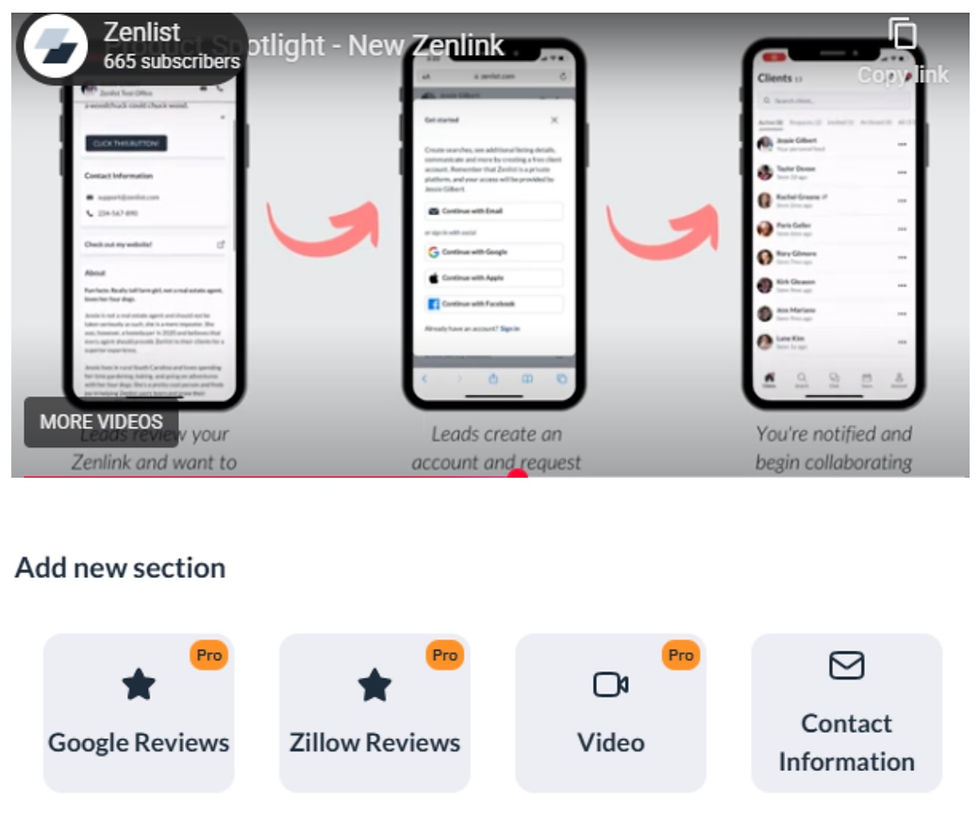
Video walkthrough (you provided):
Quick links (copy/paste)
Zenlist home (free entry): https://zenlist.com/ Zenlist
Subscription plans page: https://zenlist.com/app/settings/my-subscription/plans
Pricing overview (Help Center): Zenlist Help Center
Agent sign-up instructions (MLS-specific): Zenlist Help Center
App install shortcut: https://zenli.st/tryinstall Zenlist Help Center

Comments